
Planner in Your Pocket
Alan Mathieson, CTO - 25 May 2026 Series: Building the Backbone
Back in February I wrote that festival teams aren't at desks. They're in tents, at airports, in green rooms, on the phone to a panicking author. I also wrote that our iOS app was feature-complete and waiting on Apple's review.
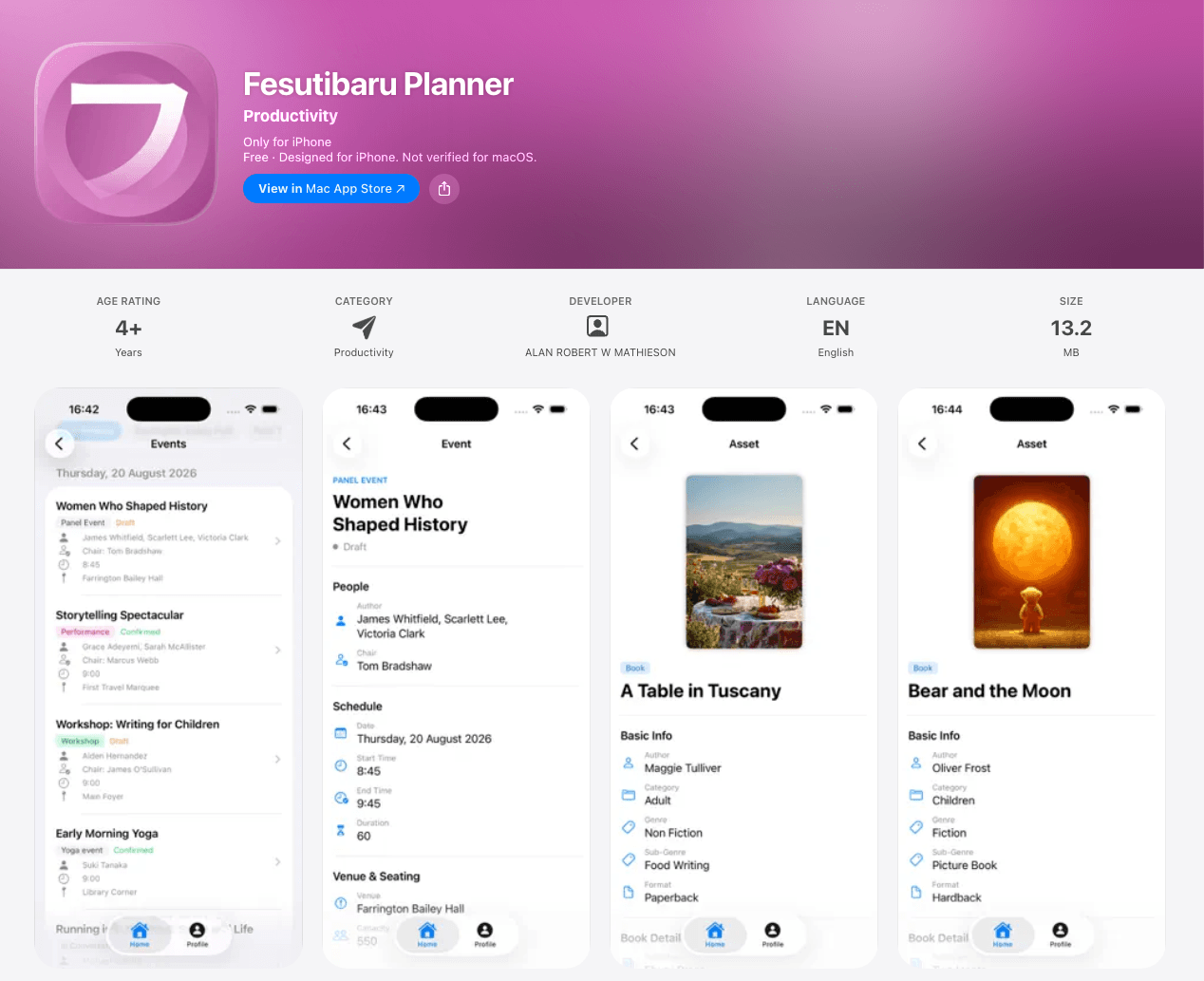
Well, the wait is over. Planner is now a native app, live on both the App Store and Google Play. iPhone or Android, your festival goes wherever you do.
A Real App, Not a Shrunk-Down Website
This isn't the web app crammed onto a phone. It's a purpose-built native experience: SwiftUI on iOS, native on Android, both signed into the same live Supabase data as the Planner you use at your desk. Change something on the web, and it's there in your pocket. Change it on the phone, and it's on everyone's screen.
Sign in once with the same account, pick your festival, and you're in. No separate password, no re-entering anything.
Everyone Gets Their Own Home Screen
The heart of the app is that no two people see the same thing. When you open Planner, you land on a home screen built for your role, with only the menu items you actually need:
- Administrators get the full master sheets: people, events, assets, venues, media, documents, travel, accommodation, seating.
- Participants get My Details (editable on the spot), My Events, My Assets, Social Media Images, Documents, Equipment Requests, and their travel and accommodation.
- Publicists get their authors, and their authors' events, documents and accommodation.
- Drivers get pick-up details, and nothing else to wade through.
- Front-of-house, technicians, hospitality, operations and marketing each get a screen tuned to their job: seating and equipment, media and holding slides, dietary and accessibility, artwork and quick-look PR.
Ten distinct role screens in all, plus a shared Everyone directory. A driver sees pick-ups. A technician sees equipment specs. Nobody wades through noise to find the one thing they came for.
For admins there's a View As feature built right in: see exactly what any team member sees on their phone. When someone calls confused about their schedule, you can be them in a tap and talk them through it.
The Web App Grew Up Too
The apps got the headline, but the browser version of Planner had its own mobile moment this month. We flattened the navigation from three levels to two, pinned a permanent Home item at the top, and made the whole thing work properly on a phone browser: a real menu button, bigger tap targets, and a menu that closes itself once you've picked a page. Between the native apps and a web app that finally behaves on a small screen, there's no longer a bad way to reach Planner from your pocket.
Everyone Sees Their Own Festival
The same principle that shapes the app home screens got applied to the Event Listing across the board: the same event now shows a different, appropriate face to everyone who looks at it. Admins and operations get the full picture; technical crew see technical notes; front-of-house see FOH notes and seating; participants and publicists see their speaker notes and the public details. Two new sections, Accessibility (BSL, captions, audio description, relaxed performance, live-stream link) and Seating, appear when they're relevant.
Why it matters: a driver doesn't need a speaker's dietary notes, and a publicist shouldn't see internal FOH scribbles. Showing each role exactly what's theirs, no more and no less, is what makes people trust the system enough to live in it, on any device.
The Quiet Work
Mass-event tags. Tag an event as mass, reception or hide, and the Event Listing stops trying to list two hundred attendees individually; it collapses them into a single "Mass event · N attending" card. Built for lunches, receptions and openings.
Cancelled stays. You can now cancel a stay in place rather than deleting it. Cancelled stays drop out of everyone's personal accommodation views the same way cancelled journeys already do, so the plan on screen always reflects what's actually happening.
Plus the usual sweep: create schedule tags without leaving the event form, personal views that show confirmed records only, travel companions captured on a leg, and soft-deleted people no longer haunting records as "ghost" links.
What's Next
Navigation and roles sorted, and the apps out in the world, June went after the single most stressful part of any festival: physically getting people there, the cars, the drivers, the shared rooms, the pick-up runs. That's the next post.
Fesutibaru is building the digital backbone of live culture, starting with book festivals. Grab Planner on the App Store or Google Play, or book a demo to see the whole platform.